I have a DataView called dvGroupMembers. This is used in the Members page of my StudyGroups form. The first field, for member name / key seems to look like a button. It’s not defined as a button, but giving it a click event causes it to be rendered as a button. This is fine.
The reason I mention this, is the button renders blue and the writing on it is white. the other fields are checkboxes, which render as X or checkmark.
Final 2 fields are Check Date and Check Number. These are text or short date fields. the values are being rendered in white, just like the first “button” field. but they are very hard to read. if I hover over them, a tooltip comes up showing the date or number, but how can I tell those 2 fields to render properly with black writing?
Hi Ron,
You can change the color of the fields ‘GroupPaidDate‘ and ‘CheckNumber‘ to match the other colors through the theme Editor:
1 - Navigate to the Theme, and click on the Advanced tab.
2 - Search for the CSS selector ‘“#tab-container-typography .MuiDataGrid-cell”:‘.
3 - Add the new CSS selector to target only the fields ‘Check Date and Check Number‘.
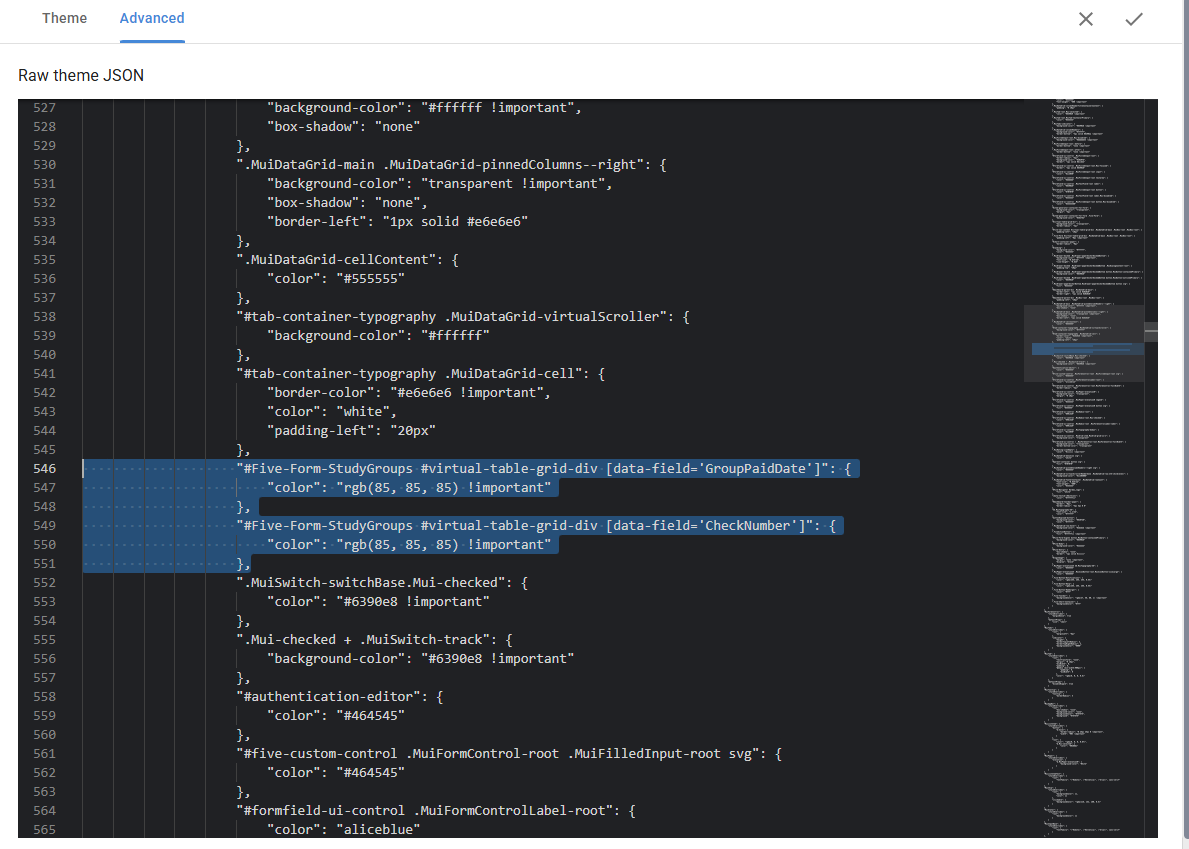
“#Five-Form-StudyGroups #virtual-table-grid-div [data-field=‘GroupPaidDate’]”: {
“color”: “rgb(85, 85, 85) !important”
},
“#Five-Form-StudyGroups #virtual-table-grid-div [data-field=‘CheckNumber’]”: {
“color”: “rgb(85, 85, 85) !important”
},
This is how the new CSS selector should look, and it should make the color of both fields resemble the Checkboxes fields.
Regards,
Elton S
Thanks for answering this, Elton. A bit of confusion:
I copied the suggested items to the proper place. It caused a bunch of “bad” text in those items. Then I realized that copying the 2 items from your answer made the quotes be “smart quotes” like in Microsoft Word. when I replaced the smart quotes with regular quotes, then the file looks fine. Here is a snippet:
                    "#tab-container-typography .MuiDataGrid-cell": {
                        "border-color": "#e6e6e6 !important",
                        "color": "white",
                        "padding-left": "20px"
                    },
                    "#Five-Form-StudyGroups #virtual-table-grid-div [data-field=‘GroupPaidDate’]": {
                        "color": "rgb(85, 85, 85) !important"
                    },
                    "#Five-Form-StudyGroups #virtual-table-grid-div [data-field=‘CheckNumber’]": {
                        "color": "rgb(85, 85, 85) !important"
                    },
                    ".MuiSwitch-switchBase.Mui-checked": {
                        "color": "#6390e8 !important"
                    },
I saved and re-ran the application, but unfortunately the 2 fields are still white-on-white or white-on-gray, depending on if they appear on a shaded line or not.
PLEASE NOTE: I edited the theme on my current application, and not in the fdf file I just sent you.
UPDATE: As of today, the newest FDF file on OneDrive DOES include the theme changes.
Hi Ron,
I’m not sure how it happened, but the single quotes in the previous code were incorrect.
Could you please use this new CSS selector to target only the fields ‘Check Date’ and ‘Check Number‘?
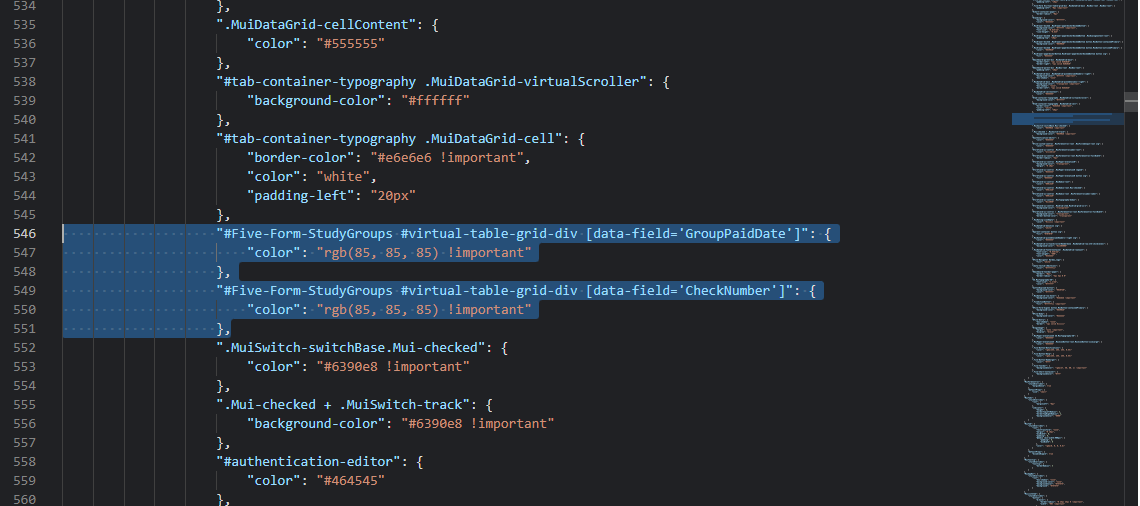
                "#Five-Form-StudyGroups #virtual-table-grid-div [data-field='GroupPaidDate']": {

                    "color": "rgb(85, 85, 85) !important"

                },

                "#Five-Form-StudyGroups #virtual-table-grid-div [data-field='CheckNumber']": {

                    "color": "rgb(85, 85, 85) !important"

                },
The image shows how they should be:
Please let me know if you have any questions.
Regards,
Elton S
Thanks Elton. Turns out both quotes and apostrophes in your replies get stylized like Word “smart quotes”, so they are not like keyboard quotes or apostrophes. I first tried replacing the quotes only, and that didn’t work. but when I replaced the stylized apostrophes with “real” apostrophes it all worked. Thanks….
Even though this worked just fine for the StudyGroups form using a data view on second page, there are other forms/pages and other dataviews that will also need this fix. Is there a way to specify data view text fields in general, rather than needing a section for every form/field? thanks…
Hi Ron,
You are right, the previous approach I targeted the elements under the form #Five-Form-StudyGroups, and I only changed the fields ‘Check Date’ and ‘Check Number‘.
To ensure you have a unique CSS selector that can be generic across different forms/pages, you need to ensure they have a common HTML element that other elements do not have; otherwise, the style will be applied to elements it should not.
Could you please send me the names of all the forms/pages you want it, so I can investigate whether it is possible or not?
Could also add a new version of your application in the share folder.
Thank you
Regards,
Elton S
Thanks Elton.
The 2 fields you had me change in the CSS work fine now. The issue appeared in the StudyGroups form, Members page, powered by a DataView. I expect the same issue will appear in the Members form, StudyGroups page, also powered by a DataView. The 2 fields would be the same field names. I can’t verify this right now, because I can’t get the DataView on the Members page to show. I’ve been working on the dvGroupMembers DataView, which as mentioned appears on a page of the StudyGroups form. I also have a dvMemberGroups DataView. Again, this doesn’t show up for some reason, which I will look into.
There are a couple of ideas: Is it possible for the CSS modification to mention the fields but not the form name? Since the fields are the same on both DataViews, that would solve the issue.
Secondly, since both DataViews show the GroupMembers table entries for the selected StudyGroup (or the selected Member if looking at the Members form), could I use a single DataView for both forms? This would require hiding the StudyGroup field if the DataView is being used on the StudyGroups form, or hiding the Member field if the DataView is being used on the Members form.
For now, I’m fine with using 2 different DataViews if that is the simplest solution.
I am copying the fdf file to the OneDrive folder shortly. It should have today’s date on it. If you happen to see why the StudyGroups page is not showing from the Members form, please let me know. Otherwise, I will attempt to find that cause.
Thanks…
UPDATE: Still can’t get the Groups page to show on the Members form. I’ve verified that the underlying query (dvqMemberGroups) returns the proper results if I run that manually.
Hi Ron,
For the first question, yes, you can modify the CSS to mention only the fields. However, if you only intend to use these fields’ names in data views, you can remove the ID ‘#Five-Form-StudyGroups’ from the selection, leaving only ‘#virtual-table-grid-div [data-field=‘GroupPaidDate’]’. Therefore, any data view with this field name will have the CSS applied regardless of the page above.
For your second question, yes, you can use the ‘Show If’ condition, and based on the page, the data view displayed under, you can define which field to display. (You need to control it, such as having a variable to store the page you are on, then you can do something like: ‘=(five.variable.PageName == ‘Location’)’, the field with this condition will only be displayed if the condition is true)
For other issues, could you please open a new inquiry if it is not already open?
Regards,
Elton S
Thanks Elton.
I removed the form name from the CSS items, and here is what happened:
It still shows the date correctly, but now I have “undefined/undefined/” before the dates and check numbers. Does the CSS assume a form name? It worked fine when the form name was also part of the CSS. Thanks…
Hi Ron,
It should not alter the report. Could you please share a new version of your application, so I can better investigate it?
Thank you
Elton S
thanks Elton. You are correct, it should not alter the report.
The good news: even without the form name in the CSS, in the dataview it properly displays that text in the expected manner.
There is obviously something else that seeped into the report definition. I have updated the newest FDF to the OneDrive folder. You can see it if you open the Generate Reports menu item, choose the StudyGroupRoster and run it.
Hi Ron,
The issue is not related to the CSS, the issue is caused by the function IsSGFeePastDue.
In the image, you can see that invalid data is returned.
My suggestion is to debug this function so you can better understand the error.
Regards,
Elton S
Thanks Elton,
I don’t have the knowledge of debugging tools that you do, so I’m limited to inserting log statements in the code and using the inspector.
What I did learn:
- ValidTo and Paid use the USDate function in template to display in m/d/yyyy format
- Both fields in CSS are colored blue if older than they should be
- {{USDate Paid}} is causing the d/m/yyyy converted date to be sent to IsSGFeePastDue function instead of the yyyy-mm-dd actual field value per logging
#3 is what is causing the issue, since the function expects yyyy-mm-dd format. I don’t understand this, because the code has always worked before.
This same issue doesn’t happen with the ValidTo date field. Per the logging, the IsDuesPastDue function is in yyyy-mm-dd format.
Why does the “real” yyyy-mm-dd date value show up in the IsDuesPastDue function, but the m/d/yyyy date value show up in the IsSGFeePastDue function?
If I remove USDate from {{USDate ValidTo}}, the report still renders ValidTo as m/d/yyyy, but if I remove USDate from {{USDate Paid}}, the report renders the date as yyyy-mm-dd. Why do these act different?
Is there an alternative to using the USDate function in the template? In form design, you can choose a display format. Is this possible with a report template?
Hi Elton,
PLEASE DISREGARD THIS ISSUE IN THIS TOPIC.
I’VE CREATED A NEW TOPIC CALLED Report Formatting Issue. Please answer that topic instead regarding the report issues.
PLEASE PLEASE continue with the next entry, which is back to the original topic of this thread.
I just created a new DataView to show Board Reports. The earlier issue, where fields are showing up in the page using this DataView with white text on either white or grey backgrounds, is happening again. See this screen shot:
You can barely see, but if you look closely (especially on the grey lines), the text is in white.
Every field is in white text in this DataView. Unlike the prior DataView, where there was only 2 text fields, all fields on this DataView are text. It seems like an un-workable solution to modify the theme’s CSS for every single field I may need in a DataView. There must be a way to set this globally.
Is there possibly a section for DataViews already in the theme CSS?
Alternatively, is there a way to modify CSS for text fields in general?
This seems like a big issue, and we shouldn’t have to add fields in the theme CSS for every single field in every single DataView, right?
Hi Ron,
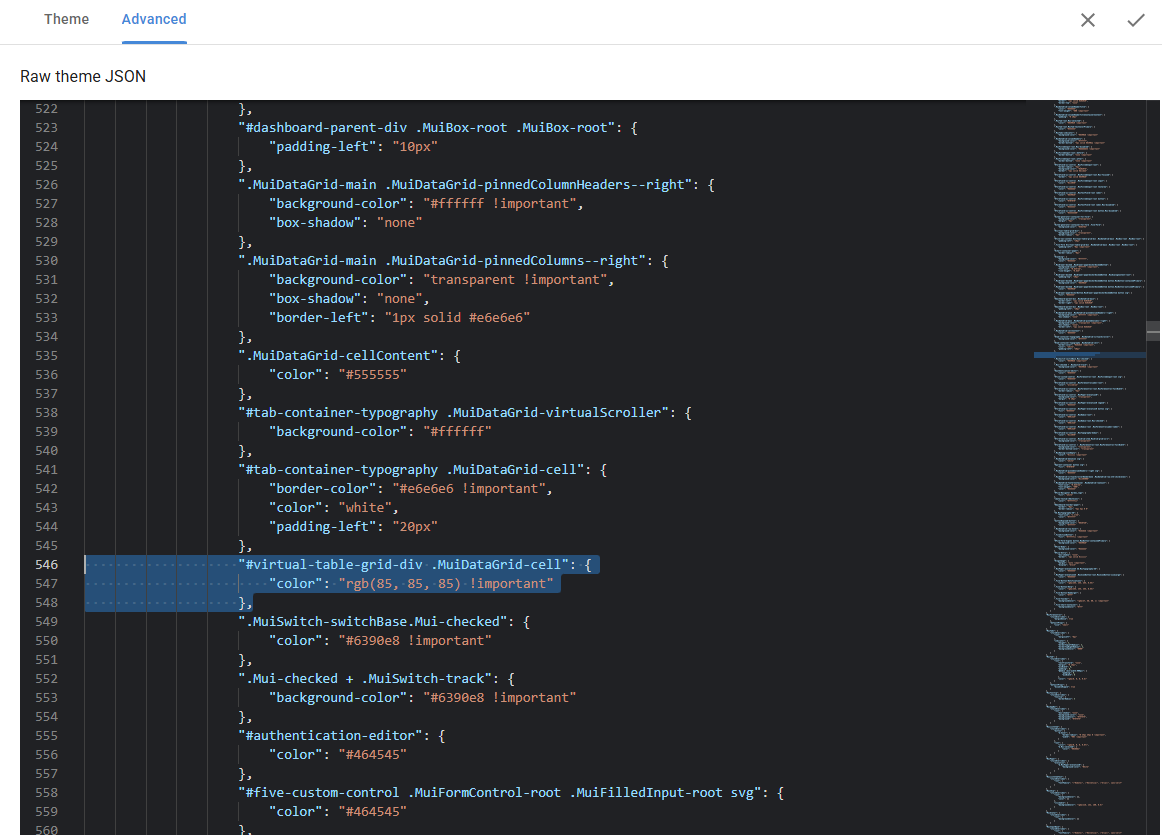
Could you replace the CSS for the fields ‘Check Date’ and ‘Check Number‘ provided previously with this new one? Let’s try to target all data view cells, regardless of their fields, locations/page/forms.
                "#virtual-table-grid-div .MuiDataGrid-cell": {

                    "color": "rgb(85, 85, 85) !important"

                },
The image below also shows the changes highlighted, in case my code gets modified.
Please let me know how it goes.
Regards,
Elton S
For some reason, I can’t even test this.
I need to be able to display the new page with DataView before I can test the change to CSS you provided. Please see my other post, called DataView Query Problem. That needs to be solved before I can test your CSS change.
I’ve uploaded a new FDF. Thanks…
I should revise my last answer. When I make your changes in the theme CSS, then save and run the app, my StudyGroups form which has a page called Members powered by a DataView, and I can now see the text fields at the end in black text. Previously, we solved that issue by adding CSS specific to the field names, and now it works with a single CSS entry. Success! Thanks so much! (still have an issue with query for another data view in topic DataView Query Problem).